
Neoscan microCT systems are supplied with an in-house-developed all-in-one software tool for scanner control and data processing. From acquisition of a full series of 2D projection images, reconstruction into a 3D volume, visualization and inspection of this volume in 2D and 3D, to 2D/3D image processing and numerical analysis, the software bundles all complementary steps from sample to result.The Neoscan software package includes an intuitive user interface that guides you through a straightforward workflow, allowing you to use it instantly. All final and intermediate results are stored in conventional file formats and can be imported into any other software.NeoScan Software
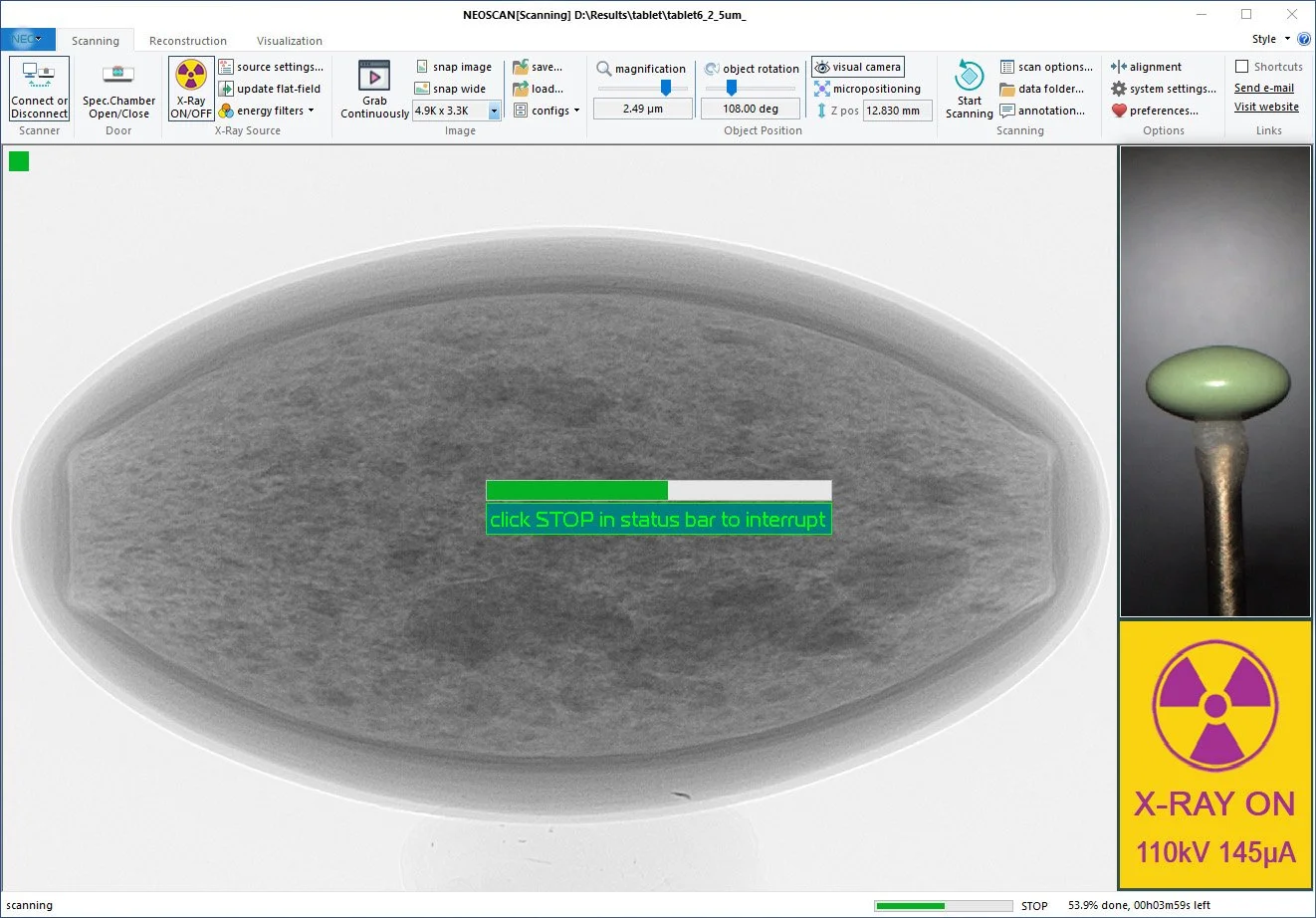
Launch your scan efficiently, simply follow the ribbon & walk through our software suite from acquisition to visualization!Starting from the left, establish communication with your scanner, open the specimen chamber and install an object. Next, start the X-ray source with a manual or automatic selection of energies and filtering optimal for your object. Now simply launch your scan! Manually choose a file name, data location and scan settings, or scan automatically to subfolders with an incremental index for studies of multiple samples using identical settings.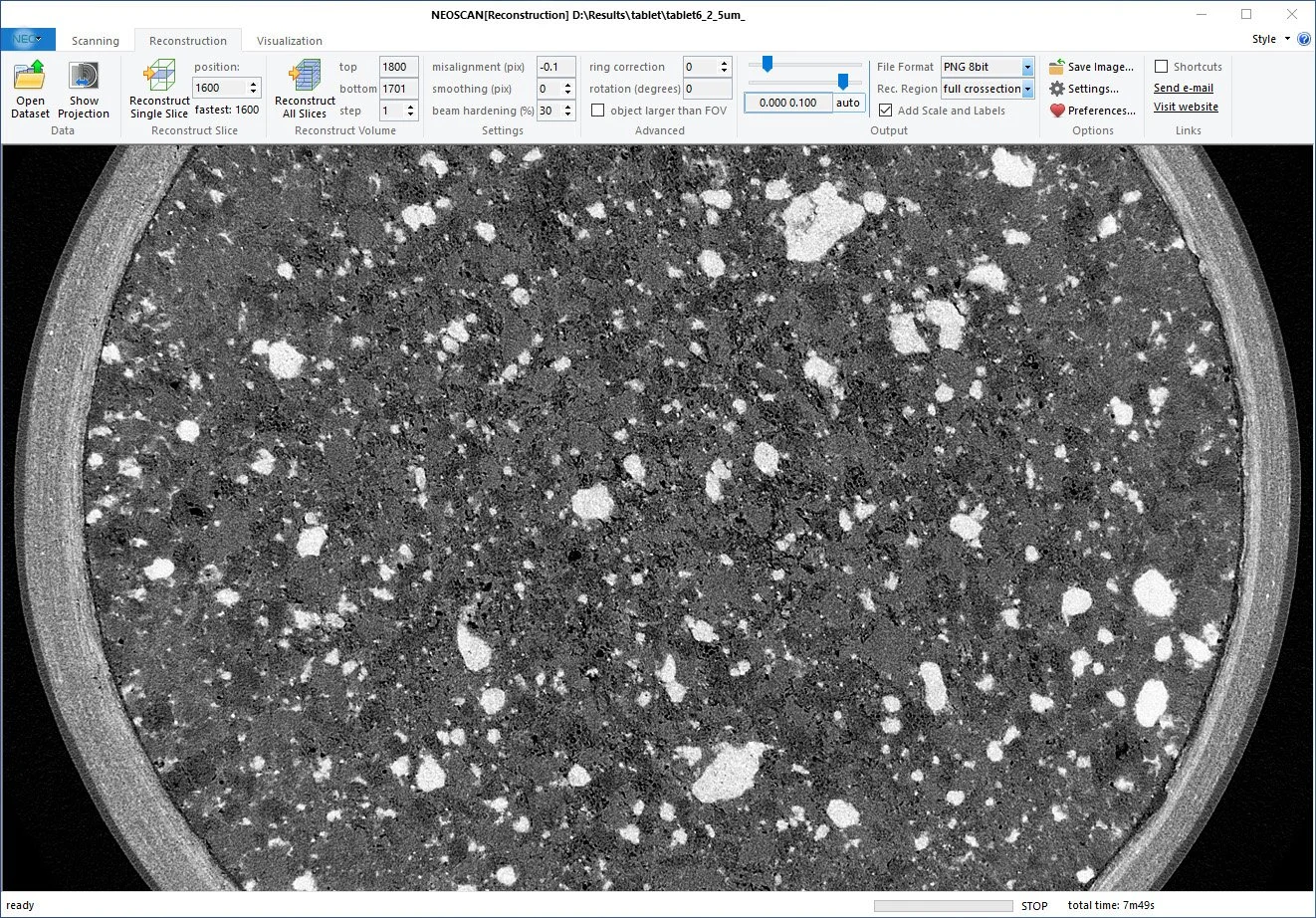
After completion of the scan, move on to the next tab in the ribbon for reconstruction of your projection data to virtual slices through the object. Reconstruct a single slice, multiple or all slices and save to disk for further exploring all features inside your 3D volume non-destructively.If necessary, optimize a wide range of reconstruction parameters such as misalignment, beam hardening correction, smoothing and many more… The reconstruction procedure can merge several partial scans into a single reconstructed volume for long and wide objects and reconstruct scans of objects larger than the camera field of view. All results are saved as a set of slices in 16-bit or 8-bit TIFF, BMP, JPEG or PNG formats.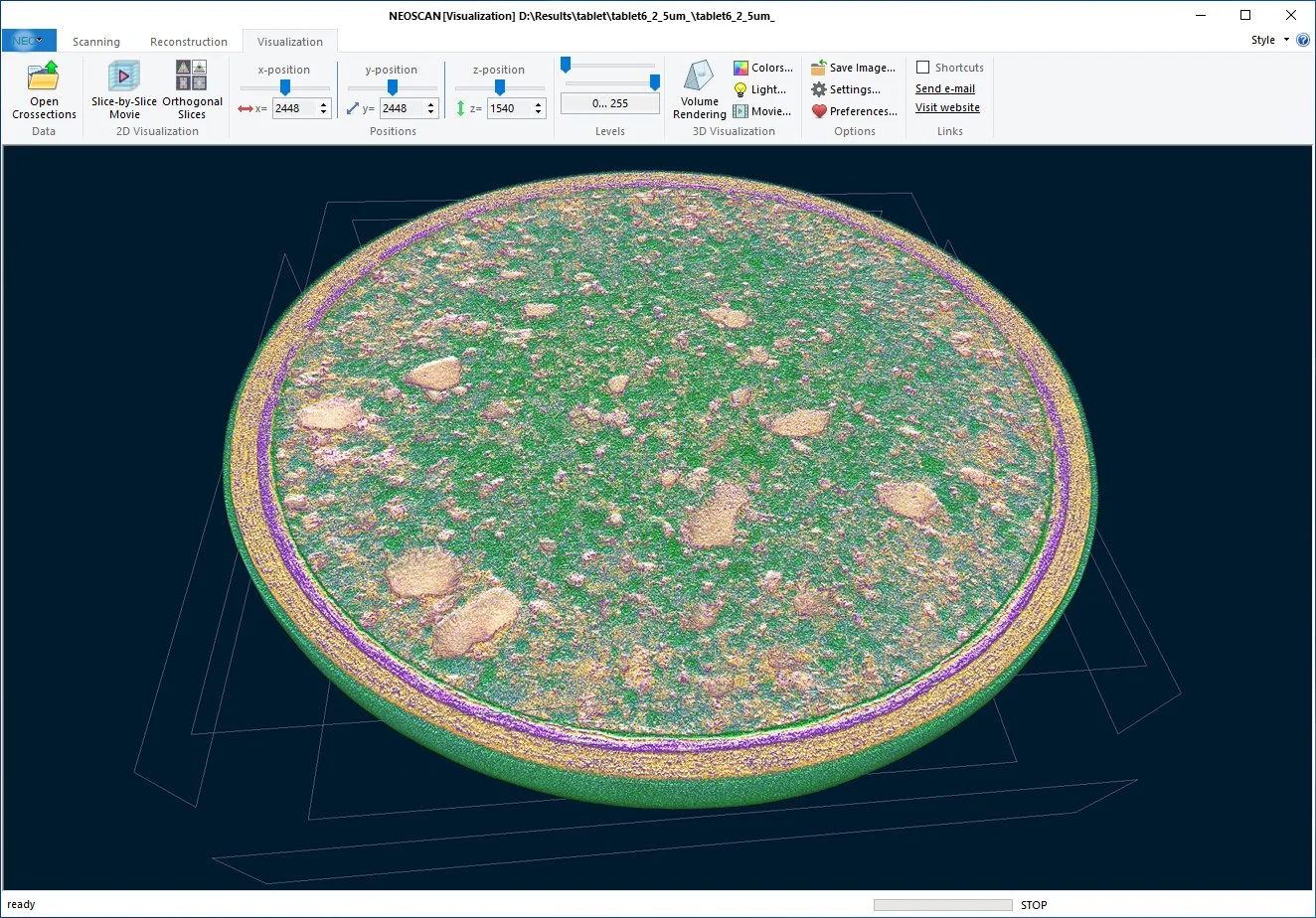
Visualization of the internal parts of your objects can be done either slice-by-slice or by 3 orthogonal virtual slices crossing at any selected point in the reconstructed volume.The integrated volume rendering creates a realistic 3D visualization of the external and internal microarchitecture of your scanned object. Define appropriate density-to-colour and transparency transfer functions for materials inside your object. The illuminating option adds realistic light reflections and scattering with full control over the light direction and colour.Virtually cut samples to reveal the internal microstructure of the object and create your movies with a flight around and inside your object in just a few clicks! Each click defines a key point in the flight trajectory. The software will automatically interpolate all colour/light/transparency parameters between the key frames, including the viewing point, viewing direction, camera viewing angle, etc. The final movie will be saved as an efficiently compressed MP4 file.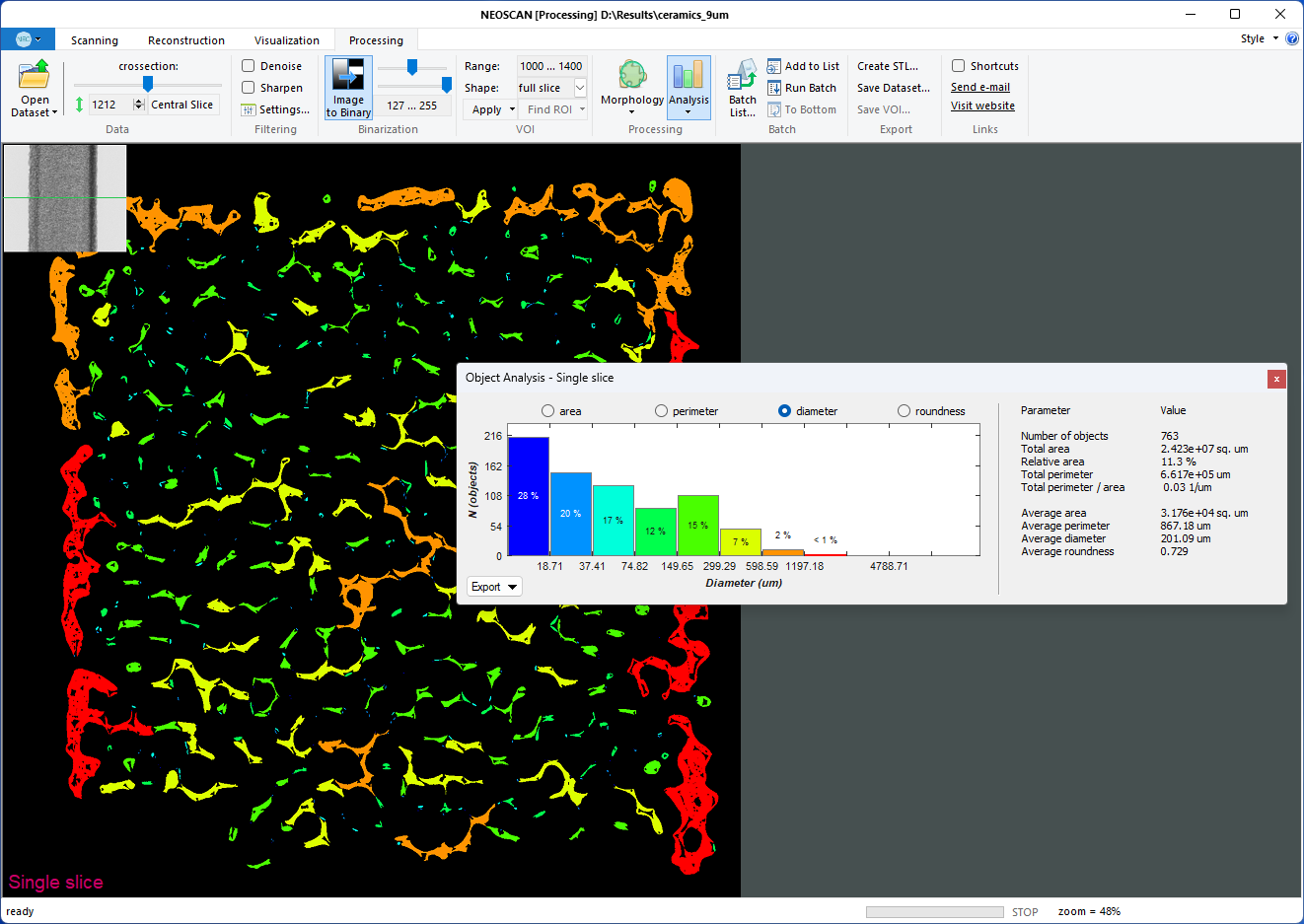
The Processing page offers a wide range of options for image processing and Image analysis working in 2D and 3D space. Reconstructed results can be improved by denoising, smoothing or sharpening. The Fiber Orientation analyzes the angular orientation in every point of every fiber without the need for image binarization and creates a colour-coded representation of orientations to use for 3D volume rendering.Reconstructed slices can be segmented into a binary image for the following morphological analysis of pores or particles. A Volume of interest can be flexible and intuitively designed by means of elliptical, rectangular, hand-drawn shapes or a combination thereof and defined in several virtual slices. The software will automatically interpolate all selected shapes to intermediate slices. A variety of morphological operations, such as erosion, dilation, despeckling, keeping the largest object, and others, will help you to extract the exact binary structure to be analyzed.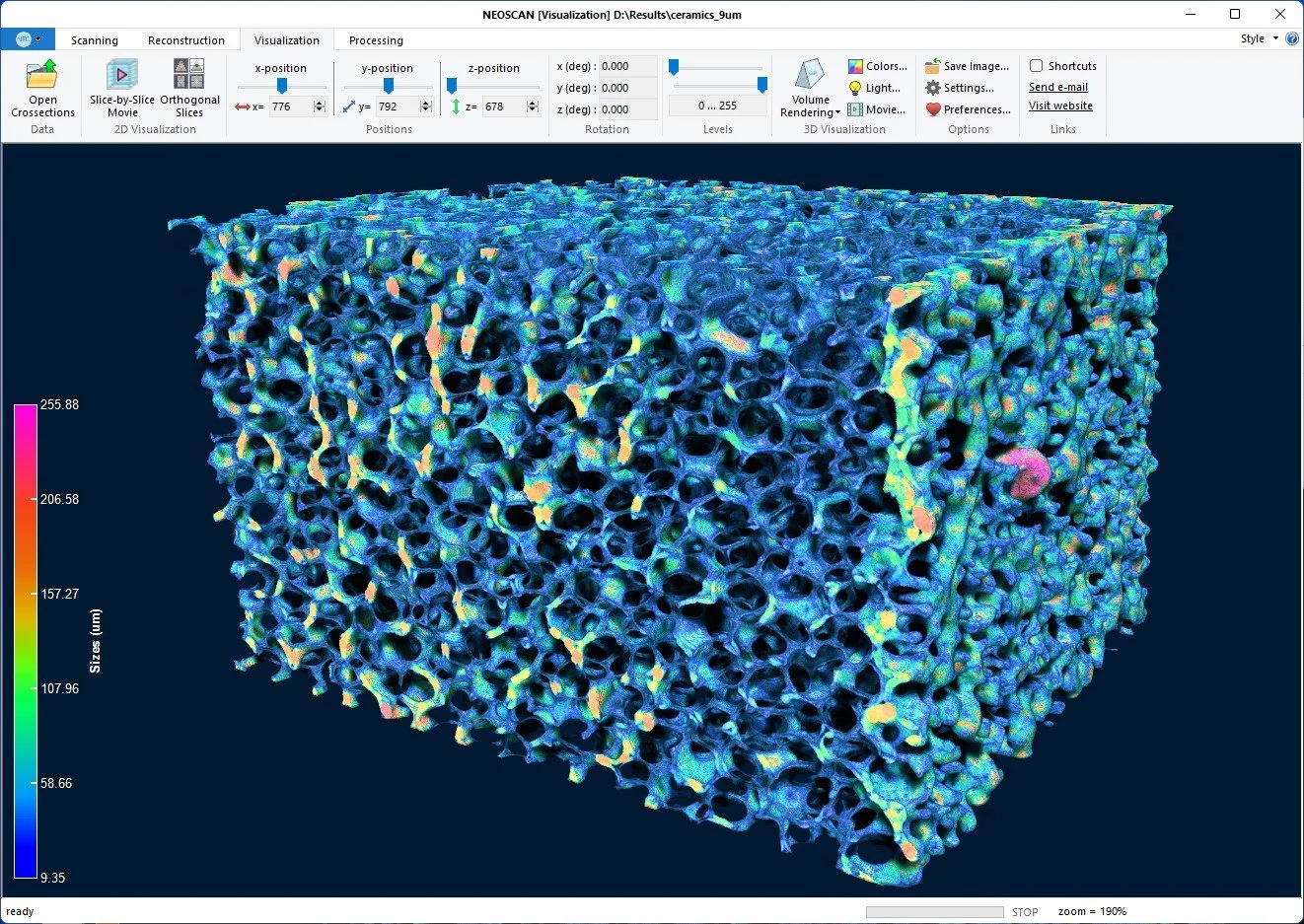
GPU-accelerated 2D/3D image analysis allows obtaining numerical data from an object’s morphology. In any single slice, it can calculate the area/perimeter/size/roundness of all objects. The results are combined into a colour-coded histogram and into a report of total and average values, such as porosity, total and average area and perimeter of objects and others. 3D Analysis results can be saved to text files and as pictures of calculated colour-coded distributions. The local size of the object(s) is calculated by inflating spherical probes at every object’s point. 3D morphological analysis creates a colour-coded volume according to the object’s calculated numerical values. This colour-coded volume can be combined with the object’s morphology in the volume rendering. Batch processing allows applying any combination of image correction operations, morphological functions and 3D image analysis subroutines to multiple datasets. The software also includes the possibility for surface rendering with the creation of 3D models saved in STL format, suitable for 3D printers and third-party software.